

Appearance
Release notes: August 21 to September 1, 2026
The System map opens on the largest estates, COBOL copybooks are read all the way through, the assistant keeps knowledge about each System, and Nomain Code lets you choose how much you review.
Nomain app and agent
The System map
- From each System's next analysis, the System map opens straight away instead of taking several minutes, even on the largest estates.
- The connections between parts now appear on the largest estates too.
- If the map cannot load, it now says so and offers Try again.
- Diagrams in answers now show their labels in full on a first visit.
Memory
- The assistant now also keeps durable facts about each System, such as what a transaction code means or which migration is in flight, and uses them in answers for everyone working on it.
- Your personal notes on the Memory screen are now grouped as About you, Preferences and Other notes, where your former Projects and References notes now sit, and they stay private to you.
Nomain Code
- You can now choose how much the coding agent in Nomain Code does without asking, from a mode picker next to Add Context.
- Review stays the default: you accept or reject every edit file by file and hunk by hunk, and every command asks first.
- Auto-edits applies edits as the agent works, and commands still ask every time.
- Auto also lets you extend an approval you gave to later commands of the same shape, for the rest of that conversation.
- In every mode, the agent does not apply an edit on its own to a file that changed since it last read it, and everything it writes can be undone in the editor.
- In every mode, commands that escalate privilege are refused, and anything that reaches the network, installs, deletes or publishes asks every time.
- A coding-agent step that did not complete now shows as failed, with its reason.
- An activity indicator now stays visible for the whole turn and shows the elapsed time on slow steps.
- Workspaces with more than one folder now work across all their folders, and the agent asks you when a path exists in two of them.
- The agent now looks at your code before asking you a clarifying question.
- An optional setting now lets you read your finished agent conversations in the web app, where they are marked and read-only.
Chat
- The Deep Insight toggle is gone, and every question now gets as much investigation as it needs.
- Export as PDF now exports the whole conversation, with diagrams as images and timestamps in your own time zone.
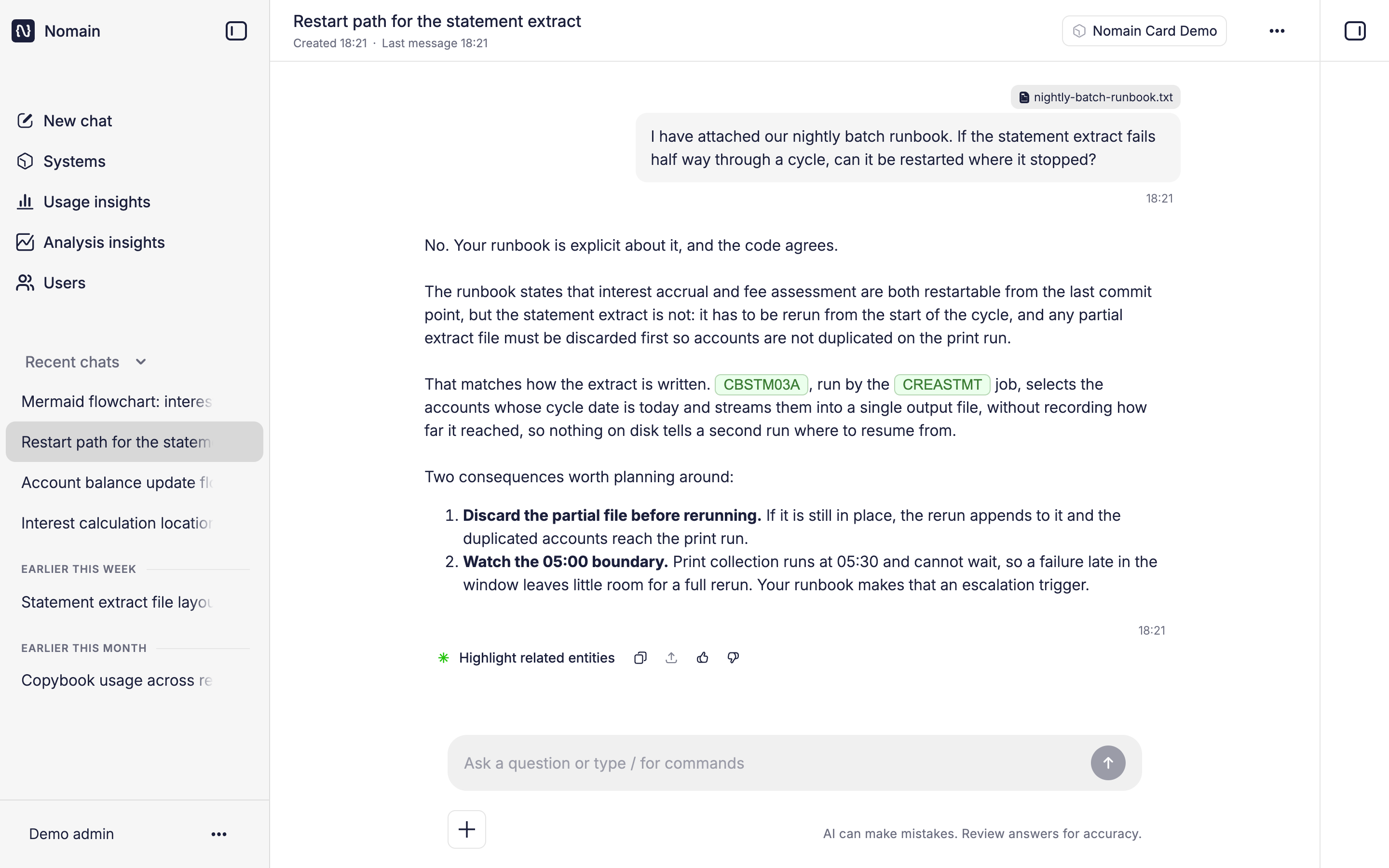
- Attaching a file in chat now accepts the same formats as Document management, and a declined file is explained next to the answer.
- You can keep asking about an attached file in follow-up questions without attaching it again, and the assistant tells you when it can no longer use an older attachment.
- When the assistant runs into a difficulty that affects you, it can now draft a short report under the answer, Send this as feedback?, which you can edit, send or dismiss.
Documents
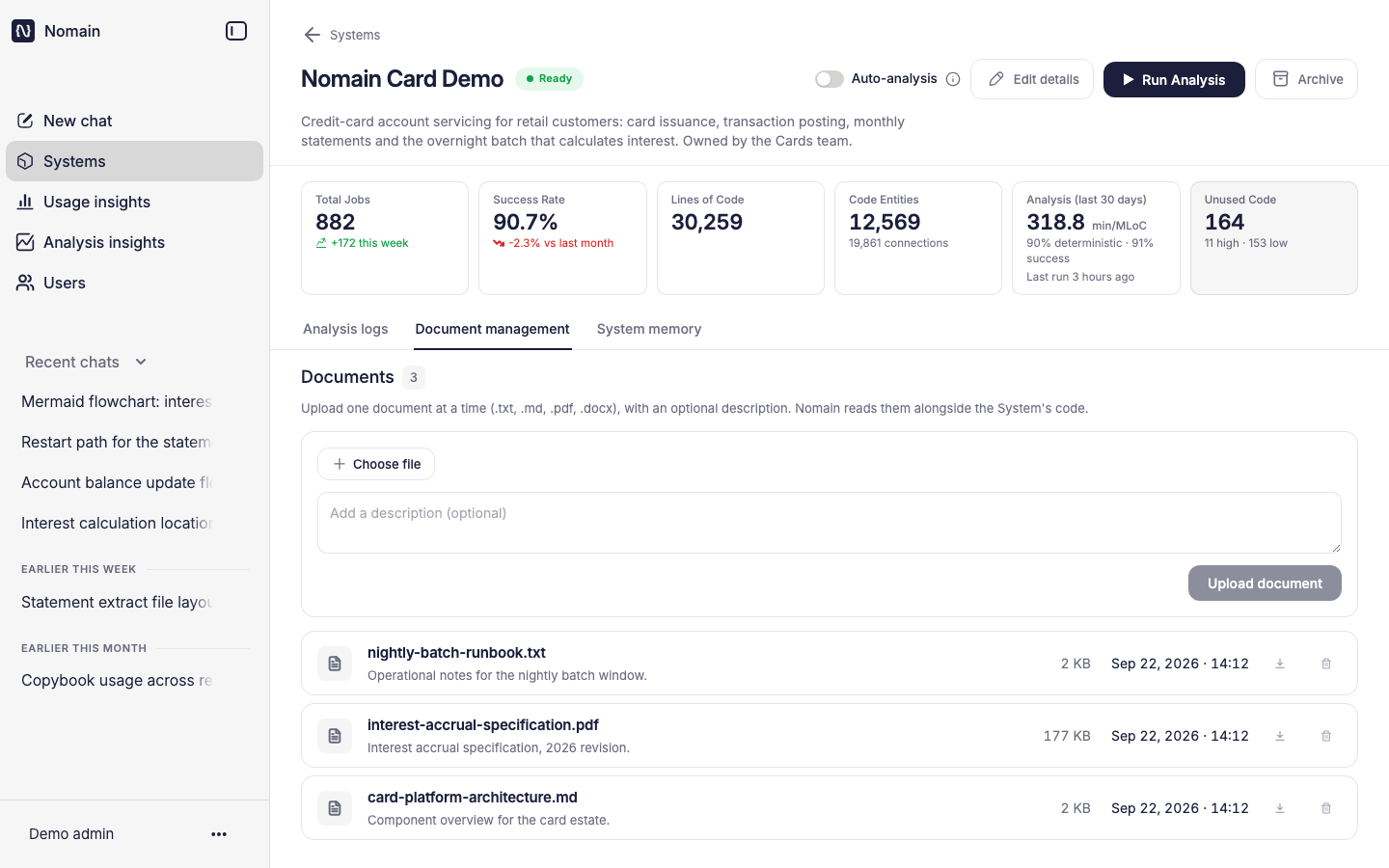
- Document management now accepts plain-text (
.txt) files, lets you drag a file onto the upload area, and has a download control on every row. - Plain-text files in your repositories are now picked up as documents on the next analysis.
- When Nomain could read only part of a long document, its row in Document management now says what was left out, and the assistant can flag an answer that may depend on that part.
Analysis and system management
COBOL copybooks and programs
- Questions such as "where is this field read or written" now return the real call sites for fields declared inside a copybook, including qualified
OFandINreferences. - Calls, CICS commands and table access made from a copybook,
%INCLUDEfile or Easytrieve macro now count for every program that includes it, including through nested inclusions. - Data-flow answers about a copybook field now name only the programs that actually use it.
- Dynamic calls, where a program is named in a data field, now reach the real program, so it is no longer reported as unused and its caller count is right. The same applies to copybooks, CICS commands, files, maps and queues.
- COBOL programs defined to CICS show COBOL as their language, and their source link opens the source file.
Screen maps and modern types
- More BMS screen maps now show all their fields, including unlabeled ones.
- Interfaces and enums in C# and TypeScript, and records and structs in C#, now get explanations of their own, so questions such as "what does this interface do" or "find the type that represents a customer order" now have answers.
Analysis runs
- Analyses of the largest estates now run to completion, and their slowest steps are far quicker.
- A file that cannot be read is now skipped and counted instead of ending the run, and the next run tries it again.
- A run that finishes despite a failed step now shows as Degraded rather than Completed, at step, run and System level, and a step that stalls now shows as failed with its reason.
- Files removed from a repository are now removed from the System, so the map, search and answers stop citing them.
- Run Analysis and Archive are now disabled only when a run would really be refused, and hovering names the run that holds them.
- A run that found nothing to change now updates the System's Last analyzed date.
- The Systems view now remembers your sort, status filter and Show archived setting as you move around the app.
- Refreshing a System now keeps its links to database tables, include files, and programs or members not delivered with the source, and the next analysis restores all of them.
- The first analysis after this release reads your source files again once, so expect it to take longer than usual on a large estate.