Appearance
Release notes: June 26 to July 3, 2026
A redesigned Systems dashboard, documents you upload yourself, a Memory screen, and more accurate COBOL answers and statistics.
Nomain app and agent
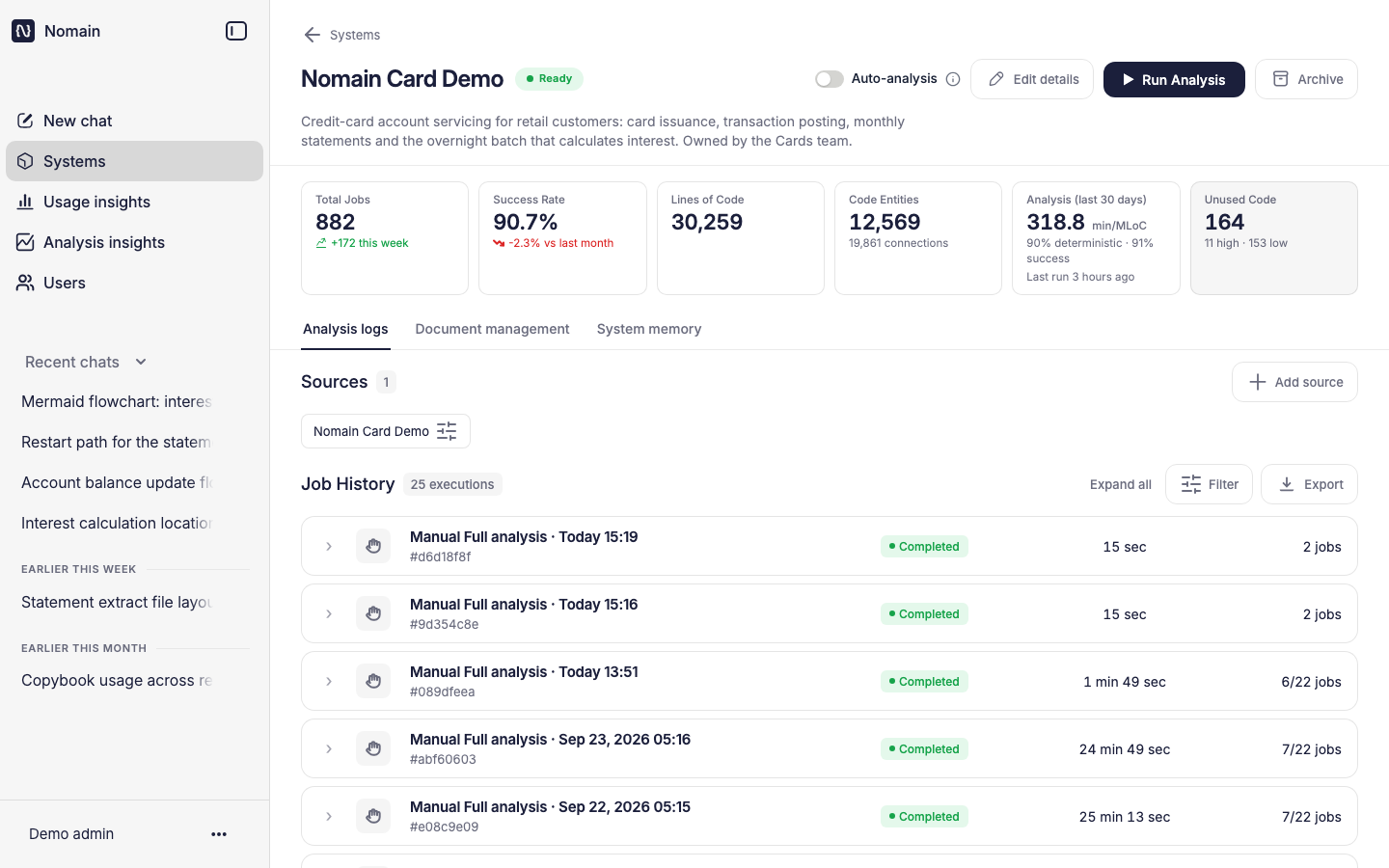
Systems dashboard
- Each System card now shows its number of business processes, programs and jobs, its lines of code, its languages and its business-domain tags.
- View Job history is now one click away on each card, and the dashboard loads faster.
- The totals at the top of the dashboard now leave out archived Systems, and a Show archived toggle brings them back into the list.
Documents
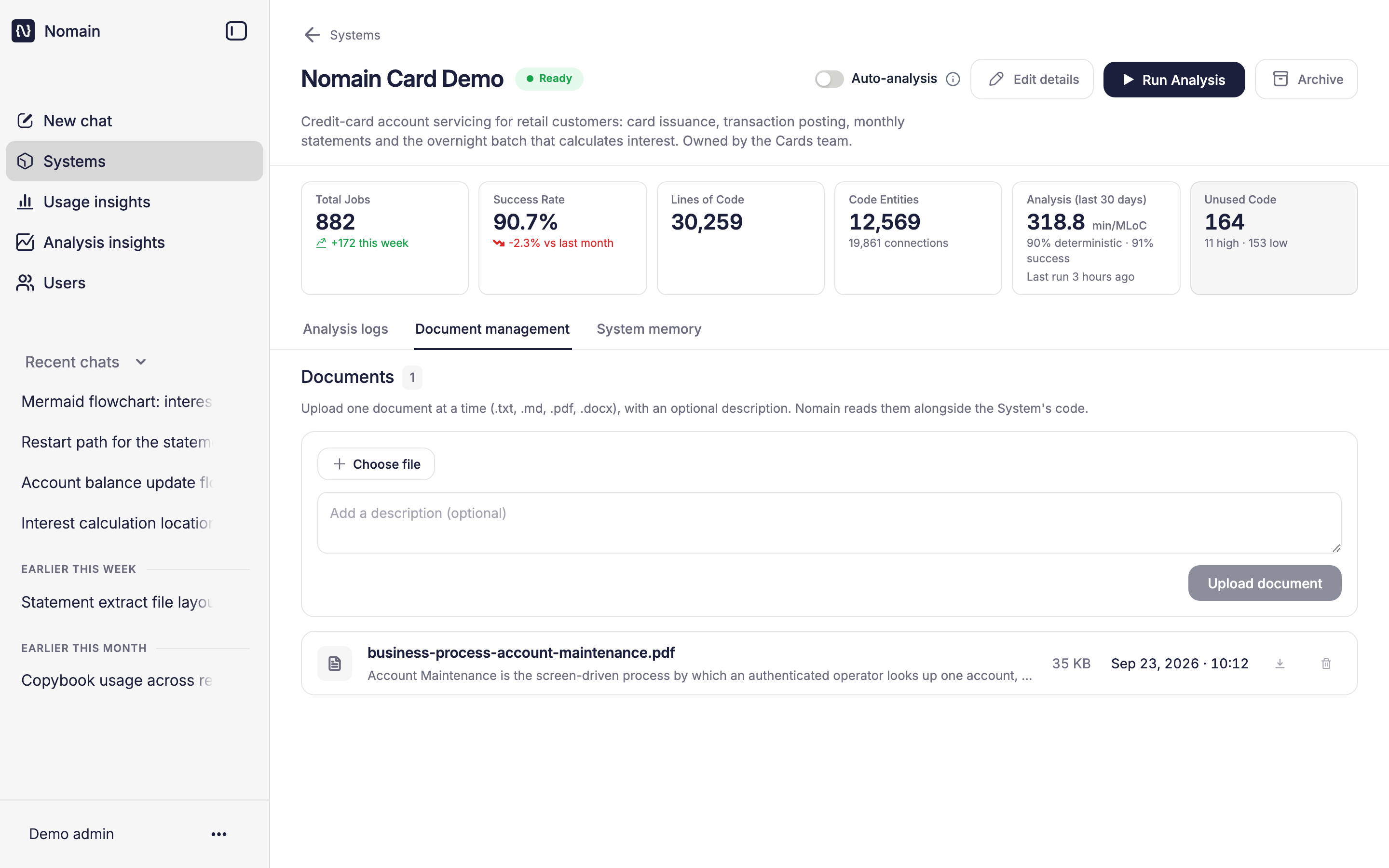
- You can now upload Markdown, PDF and Word files to a System from its new Document management tab, and the chat agent can search and quote them after the next analysis (Document management).
Memory
- A new Memory screen, opened from your user menu, lets you review, edit or delete anything the chat agent has noted about you (Agent memory).
Chat
- Chat messages, the chat header and the recent-chats sidebar now show when things happened, and recent chats are grouped into Today, Earlier this week, Earlier this month and Older.
- The Progressive toggle has moved from the chat header into the System map's filter panel, and your setting is remembered.
- Anything the chat agent or the analysis shows is now cleaned of potentially harmful content before it reaches your browser.
Feedback and the VS Code extension
- When you send feedback you now always receive a confirmation email, and replying to it reaches our support team.
- Feedback you send without checking the contact-consent box does not share your identity with the team.
- You can now set the server URL from the sign-in panel of the VS Code extension with Configure Nomain, and the URL must start with
http://orhttps://.
Analysis and system management
- Explanations and chat answers about COBOL conditional logic (IF, ELSE, EVALUATE WHEN, inline PERFORM, SEARCH WHEN, AT END, INVALID KEY and ON clauses) now match your source more closely, from each System's next analysis.
- Line numbers in COBOL and BMS citations now point at the right line in your original source file, from each System's next analysis.
- The execution statistics on a System's detail page (total jobs, jobs in the last 7 days, and success rate against the previous month) now cover the System's complete history.
- While an analysis runs, its job count now shows progress against its final total, for example 3 of 10 jobs.
- The 30-day, 90-day, 6-month and 1-year views on Usage insights now show their full history, and new activity appears within a minute.